Fuzzying up the edges ~ more edits of Camp Snap photos

In my last post, I wrote about experimenting with the Focus module in Exposure X7 to add slight blur and bloom. This goes some way towards reviving the look of old soft lenses that lack modern anti-glare coatings. It’s potentially a great fit for the low resolution results from toy cameras like the Camp Snap and others because it reduces the ugly haloes around edges that have been aggressively sharpened.

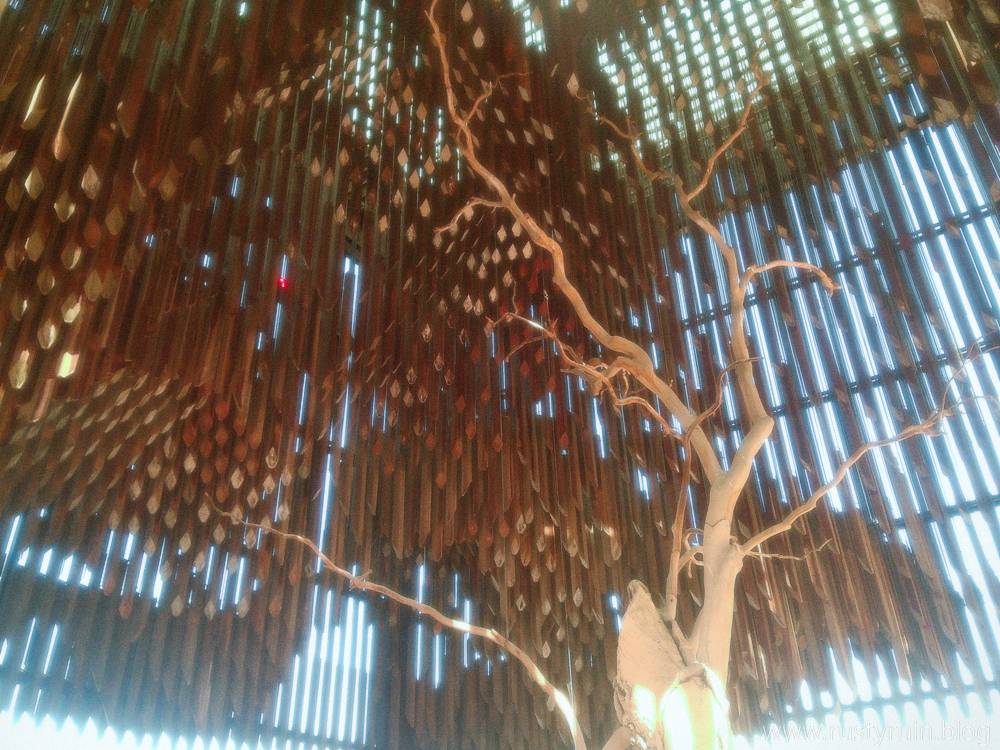
Tree of Knowledge, Barcaldine QLD – Camp Snap

You can see in the photo of the Tree of Knowledge above that the Soften and Diffuse preset in the Focus module adds glow around the highlights, giving it an ethereal quality that contrasts well against the sharply angled boughs of the tree and the descending wooden timbers.

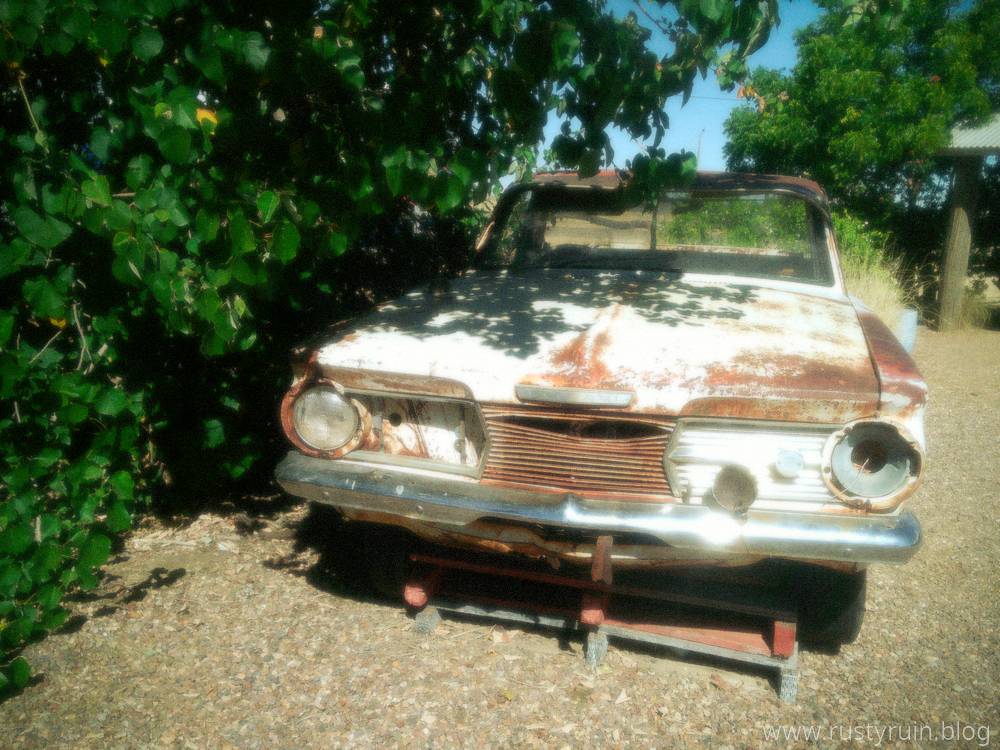
Old car in the shade – Camp Snap

Here again, the highlights take on a nice soft glow. Everything seems ever so slightly blurred and the sharpened edges are softened considerably.

I think the glow effect in some of these photos is more pronounced because I’d used the Camp Snap with two filters attached: a Photape Warming filter, and a cheap diffusion filter that adds glow and softens highlights. I’ve since removed the filters and will experiment further.

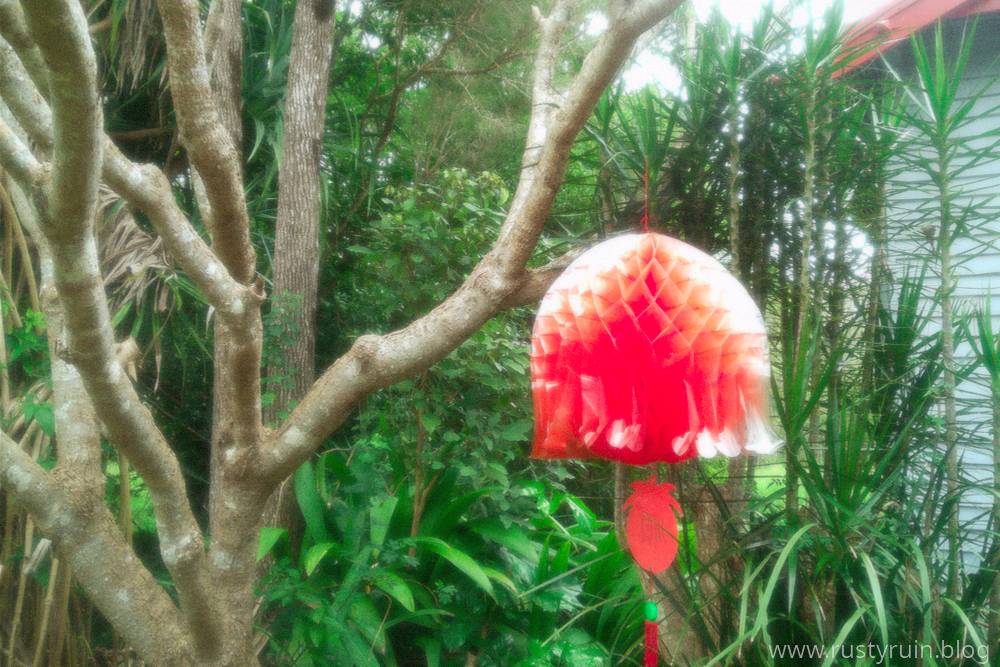
The red lantern – Camp Snap

You can see how the Camp Snap struggles to handle the strong red colour of the lantern. The result is a blown out mess where the details are lost.

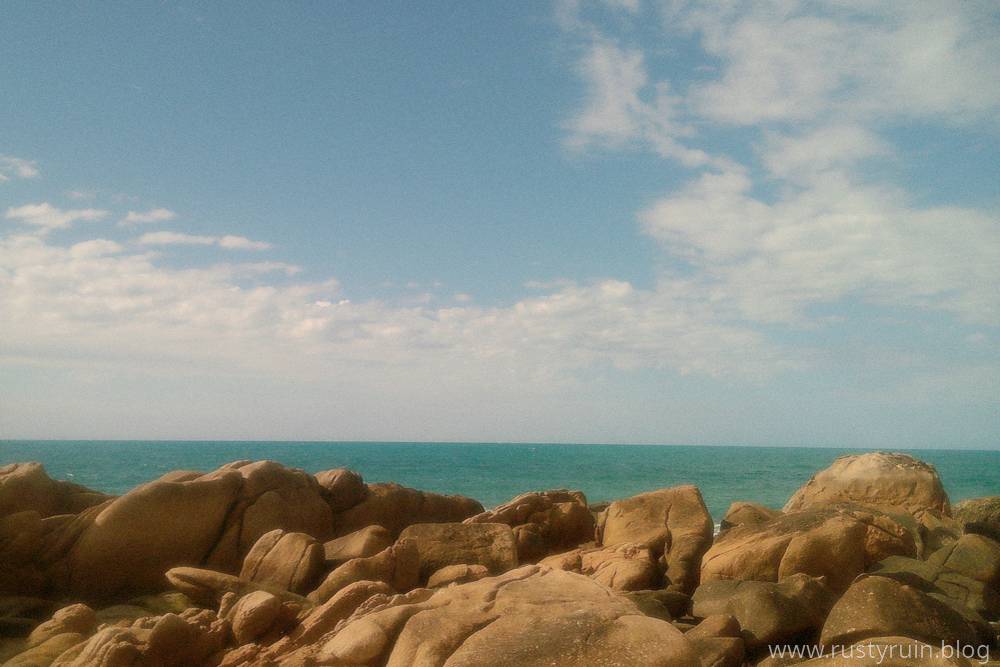
A rocky coastline – Camp Snap

The Camp Snap is great for scenes like this, where there are more mid-tones than bright highlights – sky, sea, and cloud in distinct layers. It’s the kind of seascape that I might have snapped with my old Kodak 110 format film camera as a teenager.

Finding inspiration in black and white with the Nikon D200

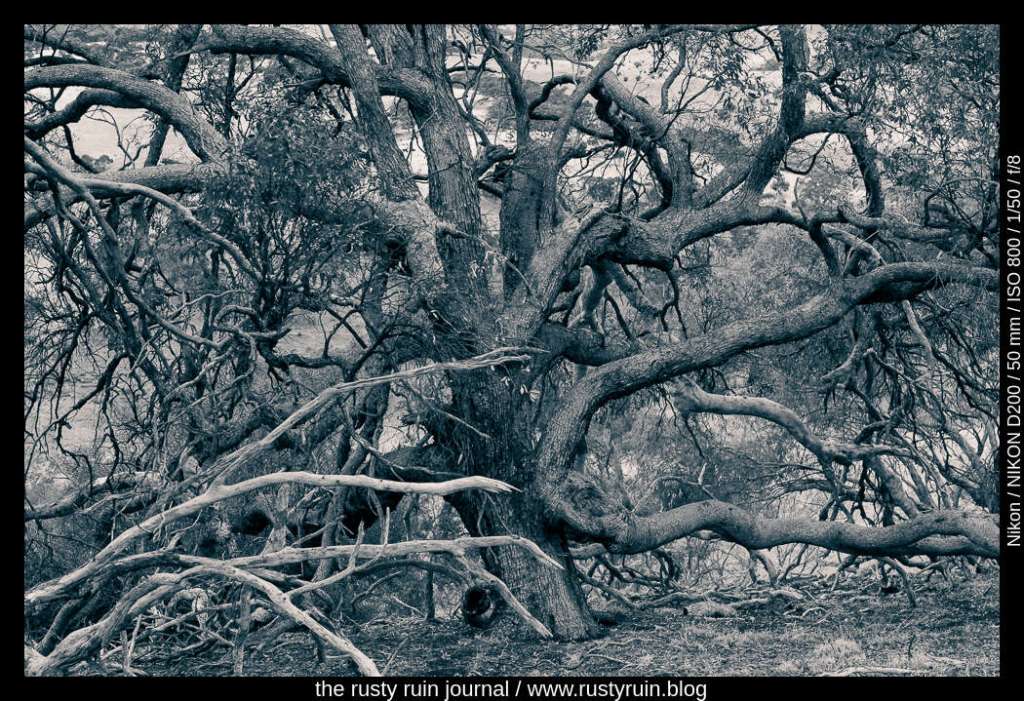
I’ve been trying to get out for shorter photo sessions in recent weeks because it’s not always possible to find a free day for an organised day-trip. At the very least, it gives me a chance to find some new locations and subjects. I can also pack a few older camera bodies and lenses without placing much pressure on myself to come back with plenty of photo winners. So, what do you do when the clouds are heavy, time is limited, the light is failing, and interesting subjects are lacking? Well, I happened to spot an interesting looking tree by the side of the road:

Twisting against the failing light – Nikon D200 and Tamron 17-50mm 2.8 lens

I don’t usually convert colour photos to black and white but sometimes it’s a good way to explore other qualities of an image. Black and white emphasises tonality, texture, and geometry. Just look at all of the twisting branches in the photo above. Even at ISO 800 in dull light, the Nikon D200 produces little noticeable noise. I didn’t bother to apply any noise reduction at all since the digital noise pattern is quite fine.

Here’s another version with more contrast, blue shadows, and warm highlights:

A photo edit ~ the original versus the edited version ~ musings on cropping, shadow recovery, exposure, and masking.

Some years back, I remember making photos of an Australian White Ibis – a wading bird that’s native to the country. It was a very sunny day and there was lots of light and shadow. In other words: lots of dynamic range for the camera to manage. Fortunately, the Nikon D7100 manages dynamic range pretty well and still stands up as a solid crop sensor camera today.

By my own admission, I was rushing and didn’t choose settings carefully enough. Here’s what the original photo looks like:

Australian White Ibis (original) – Nikon D7100

You can see how much dynamic range is in the photo – the feathers are bright white in the sun, and the interesting part of the photo – the head of the bird – is mostly in shadow. I probably should have switched to Spot Metering and focussed on the head of the Ibis to lift those shadows and preserve detail. That would also have blown out more of the bright parts of the feathers, so there’s a choice to be made. The other option is using a tripod and bracketing the shots to find a better exposure or stack them for an HDR edit to preserve as much dynamic range as possible. But it’s a living creature, and messing around with settings is not always ideal.

I had a stab at editing this old photo in Lightroom to see what could be done with it:

Ibis in blue – Nikon D7100

As you can see above, I was able to pull an impressive amount of detail from the Shadows. Despite the feathers looking blown out, I was also able to recover a lot of detail by pulling down the Highlights. I cropped to a 16:9 ratio to emphasise the length of the Ibis and the beak. Cropping out part of the highlights on the feathers brings more attention to the head of the bird and lessens the visual distraction of the bright white. I think it also balances the serpentine curves of the Ibis as the eye is drawn up the body, over the head, and down the beak.

I masked the background out and made the exposure, shadow and highlight adjustments seperately on the Ibis. By using a mask like this, my edits didn’t affect the background at all, and enabled me to duplicate and invert the mask and then alter the hue of the background through a colour dropper selection. Additionally, I applied a colour mask to the head of the Ibis and raised the exposure slightly, just to bring out even more detail. Finally, I converted to black and white and then applied a global colour in the Split Toning panel to create the cyan look. This is a simple way of emphasising texture and tone, and hiding stuff like chromatic aberrations or visually distacting colours.